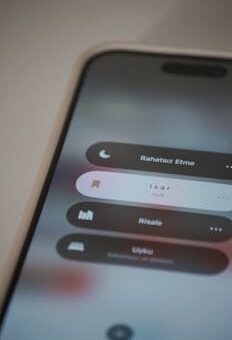
The best free apps for daily planning: boost productivity with daily planner apps
Some days, it feels like there’s too much to keep track of. You start the morning with big plans but quickly lose focus among meetings, messages, and mental to-do lists. That’s when daily planner apps swoop in—and not just as another tool, but as a lifeline.
Staying organized and hitting your daily goals takes more than scattered sticky notes or mental reminders. With daily planner apps, you bring clarity and structure to routines—capturing tasks, setting schedules, and making adjustments without missing a beat.
Whether your day is packed or you’re striving for a balanced routine, there’s an app tailored to your needs. This guide explores a range of top free options, each offering unique features, so you’ll find solutions that genuinely fit your workflow. Dive in for actionable picks and hands-on tips.
Choosing Free Daily Planner Apps For Consistency And Control
The right daily planner app transforms intentions into consistent, achievable habits. When you evaluate your options carefully, you maximize control over your time, tasks, and priorities every single day.
Clarity in digital planning cuts down on wasted effort and decision fatigue. By automating reminders, visualizing activities, and focusing on what truly matters, these apps can help anyone establish routines that actually stick.
Evaluating Daily Planner Apps Based On Everyday Challenges
Every user’s planning needs differ. If work involves frequent task-switching, look for apps offering real-time updates and drag-and-drop interfaces. Having options for repeating tasks, list grouping, or calendar views reduces context-switching fatigue.
For those juggling professional and personal life, choose an app that supports color-coding, category labels, and easy toggling between work and home lists. On-the-go access is key, so mobile compatibility and seamless sync make all the difference.
Storage and export functions matter for backup and transfer. Think about how you’ll want to access or share your plans—apps with PDF or CSV export let you adapt as needs evolve.
Weighing Popular Free Planners And Why Features Matter Daily
Some daily planner apps focus on simplicity, while others cater to specifics like habit tracking or collaborative lists. If you prefer a streamlined experience, minimal UI and fast loading times make entries quick and frictionless.
Conversely, advanced features—like smart sorting, voice input, or integrations with calendar or note apps—turn planning from a chore into a reflex. Select based on your day’s unique flow: morning brainstorming, quick task capture midday, and quick reviews at night.
Try out a few—you might discover a feature you didn’t know you needed, such as dark mode for evening reviews or recurring daily checklists.
| App Name | Key Features | User Type Best For | Best Next Step |
|---|---|---|---|
| Todoist | Task lists, reminders, natural language scheduling | Busy professionals, planners | Sign up, create sample projects |
| Trello | Boards, cards, lists, drag-and-drop | Visual organizers, group users | Set up your first board, test workflow |
| Google Calendar | Calendar view, event notifications, integrations | Event planners, project managers | Link with daily planner apps and import events |
| TickTick | Multi-list, habit tracking, calendar sync | Routine builders, learners | Try habit tracker and set daily goals |
| Microsoft To Do | Simple lists, subtasks, due dates | Minimalists, mobile users | Organize three lists: work, home, errands |
Personalizing Your Planner For Focus And Flexibility
Turning a generic planner into a daily command center is all about custom setup. With thoughtful adjustment, daily planner apps help you hone focus and maintain flexibility in whatever pops up.
Start with just 3–5 core lists: today, this week, personal, and long-term. Too many lists clutter clarity. Let’s break down tweaks to power up your routine.
Sharpen Your Daily Intentions
Give each task a verb, not just a noun. For example, instead of “report,” try “draft client report.” This focus on clear actions keeps plans actionable instead of vague.
- Start every day by updating your “Today” list—prioritize three most urgent tasks to ensure momentum and avoid overwhelm.
- Use color labels for list types (work, errands, self-care)—you’ll spot what needs attention instantly whenever you open your daily planner apps.
- Keep checklists simple. Add no more than six tasks per section so your plan remains realistic and doable, even when the day doesn’t go as expected.
- Take a picture for visual reminders when app features allow—it’s perfect for remembering an item or scanning a whiteboard note.
- Test schedule-blocking by assigning start times—merge calendar and task views for an at-a-glance road map.
Every tip above nudges your digital planner from a static list to a living, responsive sidekick.
Quick-Adapts For Mobile Planning
Declutter mobile notification overload: only set urgent reminders. Review all due dates in the app once at noon and at night, not throughout the day, to regain peace.
- Set app widgets on your home screen—so you spot tasks as soon as you unlock your phone, not after a distracting scroll.
- Voice-add tasks while commuting. Most daily planner apps now allow adding a quick item with a sentence, keeping your hands on the steering wheel or handlebars.
- Share one list with a teammate or family member—coordinate shopping, chores, or shared goals without sending texts or emails.
- Pin your “This Week” board. Quick swipes show which projects are gaining traction—ideal for staying on top of priorities during packed schedules.
- Protect focus: Turn off non-critical notifications, especially for social media. Let only your planner app’s key reminders break through.
On busier days, you’ll notice fewer distractions and a sharper sense of direction as your planner works in the background.
Adapting Daily Planners For Diverse Workstyles
Each job or study routine brings specific organization challenges. The best daily planner apps adapt to create seamless workflows, from freelancers tackling varied gigs to students keeping course deadlines straight.
This adaptability means you keep every project and deadline unobstructed, even as your priorities evolve. Let’s break out what makes the best fit for your needs.
Keeping Teams Aligned With Shared Planners
Shared lists and boards give teams a single source of truth. When someone crosses off a task, accountability becomes visible—no more guessing who’s completed what or waiting for status updates.
Try color-coding per teammate, so it’s instantly clear who owns which tasks. Built-in chat or comment threads sharpen communication without needing a separate messaging app.
Routine group check-ins in daily planner apps (Monday morning or Friday recap) surface blockers before they become big issues, keeping momentum high week by week.
Tailoring Your Planner For Solo Projects
Independent workers, creators, or freelancers benefit from checklists and timeline views. Structure your day by project, breaking large objectives into 4–5 sub-tasks that show visible progress by lunchtime.
Use note fields and attachments for reference materials. When inspiration strikes, jot down ideas directly within the related task, connecting reference and action in one click.
Set up recurring “admin” or review blocks, where you batch check receipts, send invoices, or prep materials for the week ahead. This keeps solo routines predictable—even as creative tasks vary day to day.
Simplifying Morning Routines With Smart Daily Planner App Features
Getting your day off to a smooth start should be effortless. Daily planner apps come with practical tools—recurring reminders, integrated routines, and timely alerts. These can make mornings less about forgetting and more about flow.
Customizing your planner to align with how you wake up, transition to work, and review early tasks builds a reliable anchor that steadies the rest of your schedule.
Setting Up Mornings To Minimize Stress
Create a recurring “Morning Block” in your daily planner apps for habits such as hydration, stretching, or reading messages. Treat this checklist as a warm-up, no pressure to finish quickly.
If your app supports it, enable a gentle notification sound for these morning actions. Avoid harsh alarms—think of this as a slow sunrise rather than a fire drill.
Log skipped habits occasionally, not to feel guilty but to spot patterns. Adjust your checklist monthly based on what helps you greet the day with positivity.
Reviewing And Adjusting The First 60 Minutes
Before email or social updates, open your daily planner app. Spend no more than five minutes revising today’s plan based on what you feel energized for.
Add up to two “bonus” tasks you hope to tackle if time allows; if they spill over, just drag them forward. This builds momentum but respects daily realities.
Make it a visual ritual—drag icons, pick a new color, or even change your font for fun. More engagement equals higher follow-through, day after day.
Integrating Daily Planner Apps With Your Whole Digital Toolbox
Connecting your daily planning app with calendars, emails, and note tools multiplies value. It means you cut down on app-switching and turn scattered info into streamlined action steps.
Apps supporting easy integrations let you see work meetings, family reminders, and research notes in one go—ideal for anyone managing many balls in the air.
Linking Planners With Calendars Seamlessly
Sync your most-used digital calendar to your daily planner apps. Most platforms allow you to link accounts—try it once, and meetings automatically appear alongside to-do lists.
If you’re a visual thinker, view “week at a glance” agenda modes. You’ll see where gaps for focused work pop up—this helps avoid clashes or accidental overbooking.
After big events, add quick notes or highlights directly into the planner app, either as reminders for next time or lessons learned for future review.
Integrating Notes And Documents In Your Plans
When a project or meeting inspires new ideas, connect your favorite note-taking app to your planner. With direct links, follow-up tasks stay attached to raw context.
Attach files, screenshots, or PDFs right to a related checklist. No more sifting through email for details—your plan becomes a full launchpad for action.
Use “comment” functions to store decisions or reasoning behind a task. It’s a built-in reference log for next steps and smarter delegation later.
Optimizing Daily Planner Apps For Long-Term Motivation
Beyond today’s schedule, daily planner apps shine when used for week and month planning. These features keep momentum on big goals—whether launching a new course, training for a race, or managing a complex project with moving deadlines.
Long-term use encourages users to reflect, recalibrate, and grow. Below are methods for building that persistence right into your favorite digital planner.
Building Weekly Reviews Into Your Routine
Set a Sunday or Friday recurring “Review” checklist in your daily planner app—categorize completed tasks, move postponed items, and celebrate finished milestones.
Pin up an at-a-glance board showing your upcoming week or month. Progress becomes visible, and staying accountable gets easier—even for loftier goals not tied to a strict date.
Review archived weeks for patterns (what keeps getting deferred, what took longer than planned), then tweak your entries to target roadblocks head-on.
Gamifying Motivation With Built-In Rewards
When your planner app offers streaks, emoji reactions, or progress bars, use them visibly. Habits tracked this way feel more like leveling up—ideal for self-starters needing an external nudge.
Create private “celebration” tasks after a project wraps up. Maybe it’s a treat or a walk; logging these keeps you grounded and turns productivity into a more balanced pursuit.
Remind yourself what matters: add a short weekly note in your planner about why each big goal exists. These personal reflections form a virtual pep talk over time.
Turning Digital Planning Into A Day-By-Day Habit
Success with daily planner apps isn’t about picking one magical option—it’s about making the habit your own. By customizing features and routines, you bring structure to both busy and calm days, no matter your workstyle or priorities.
Over time, you’ll notice plans become personal, even when apps evolve. As weeks pass, your digital planner reflects growth—in how you set goals, handle setbacks, and celebrate the wins.
The right daily planner app isn’t just a productivity tool. It’s a digital companion that sharpens self-awareness, saves time, and brings intention to every calendar square.